NewNow available in Claude

Stop wasting ad spend.
Track to closing.

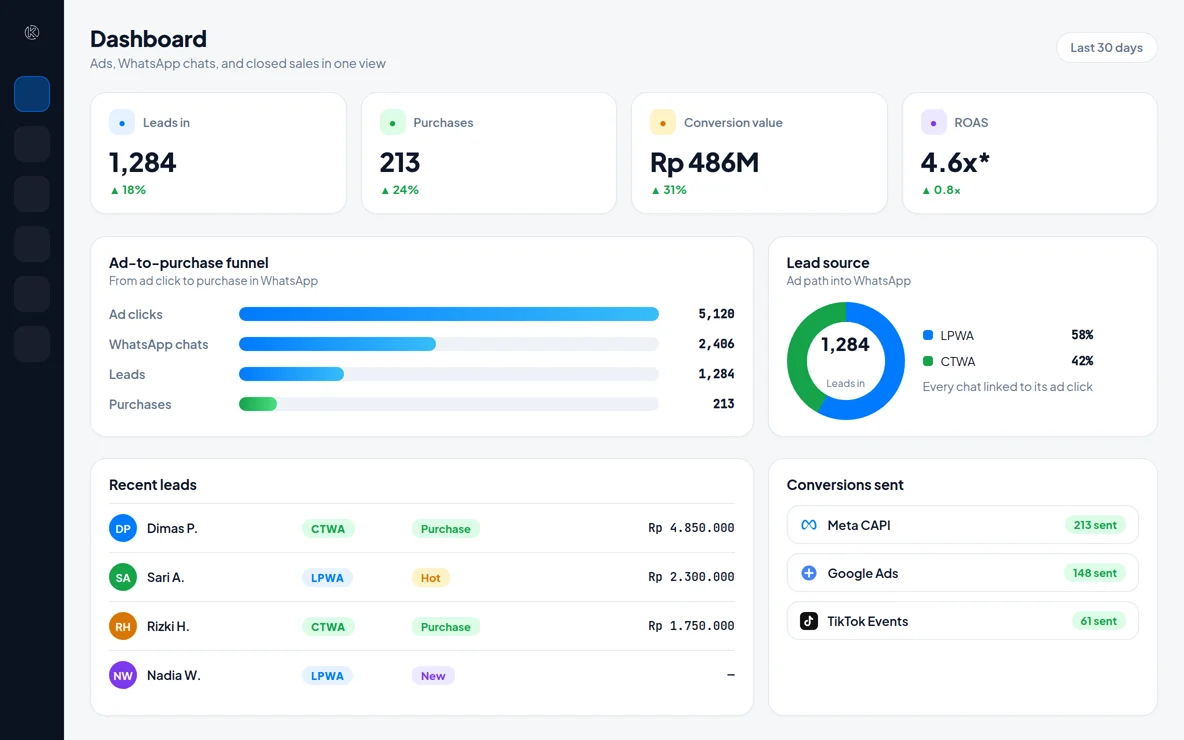
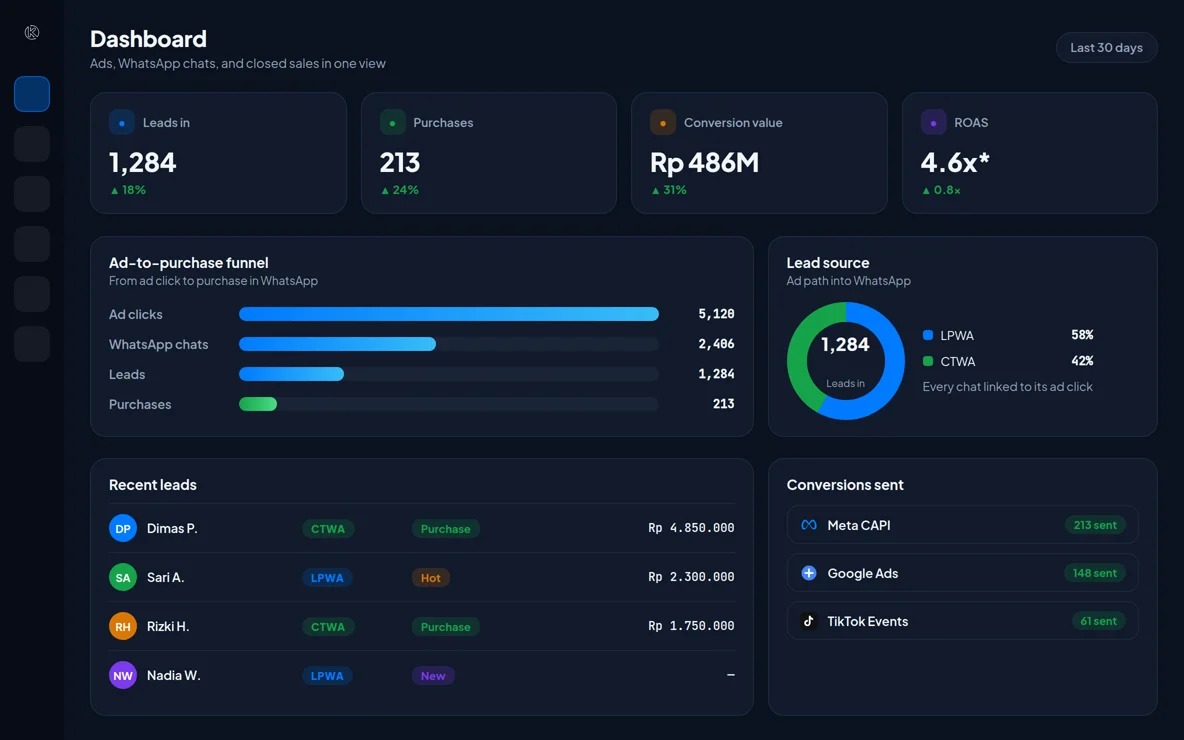
Konektor is an ad conversion tracking platform for businesses that close sales on WhatsApp. It captures the from LPWA and CTWA ads, then sends to Meta, Google, TikTok, and LinkedIn when a lead status changes.

780+ businesses joined
Connected to
Meta CAPI
GA4
TikTok Events
LinkedIn Conversions
WhatsApp Cloud

These numbers come straight from Konektor data.

780+

Businesses Have Joined

1.5M+

Leads Tracked

48K+

Leads Fed Back to Ad Platforms

99.4%

All-Time Feedback Success Rate

13s

All-Time Median Feedback Time

THE PROBLEM

Ads running, chats coming in, but data gets lost along the way.

Ad platforms lose track the moment a prospect clicks WhatsApp. Without conversion data flowing back, algorithms can't learn — and your budget keeps leaking to the wrong audience.

HOW IT WORKS

Two ad paths into WhatsApp. Konektor tracks both.

LPWA

Landing Page to WhatsApp

LPWA (Landing Page to WhatsApp) is an ad flow that sends people to a landing page first, then into a WhatsApp chat through a button on that page.

  1. 1Ad clickMeta · Google · TikTok · LinkedIn
  2. 2Landing pageClick ID + UTM saved
  3. 3WhatsApp buttonCode [K-7XQ2M] in the message
  4. 4Chat arrivesLinked to its click
  5. 5Conversion sentOn every lead status change
See every step
  1. A person clicks a Meta, Google, TikTok, or LinkedIn ad and opens your landing page.
  2. The Konektor tracking code saves the Click ID and UTM parameters from that click.
  3. When the person taps the WhatsApp button, Konektor adds a visitor code, such as [K-7XQ2M], to the opening message.
  4. The chat reaches a WhatsApp number connected to Konektor. The code links the chat to its ad click.
  5. Each time the lead status changes, for example to Purchase, Konektor sends a conversion event to the ad platforms you connect.
What is LPWA? →
CTWA

Click-to-WhatsApp

CTWA (Click-to-WhatsApp) is a Meta ad on Facebook or Instagram that opens a WhatsApp chat directly, with no landing page.

  1. 1Meta ad clickFacebook · Instagram
  2. 2Chat opensNo landing page
  3. 3ctwa_clid readWith source_type: ad and the ad source_id
  4. 4Lead createdSource: Ads
  5. 5Conversion sentTo Meta, on every status change

Connect your WhatsApp Business Account (WABA) and its CTWA dataset in Konektor so Meta receives these as business messaging events. Without that connection, Konektor sends them as regular chat events through the Meta Conversions API.

See every step
  1. A person clicks the ad, and a WhatsApp chat opens directly.
  2. The first message from the ad carries an ad click ID from Meta.
  3. Konektor reads that ID on WhatsApp channels that support it, then creates a lead with the source Ads.
  4. Once Meta is connected, Konektor sends a conversion event when the lead arrives and each time its status changes.
CTWA tracking guide →
Features

Everything you need to chase the right audience.

Auto Custom Audiences

Build audiences from real closing data, not just clicks. Platforms get high-intent signals.

Accurate Lookalikes

Seed from real buyers, not visitors. Lookalikes become sharper and more relevant.

MoF & BoF Retargeting

Tag leads who chatted but didn't close. Retarget them across all platforms.

Multi-platform CAPI

One integration for Meta, Google, TikTok, and LinkedIn. Server-side, anti-adblock, privacy-safe.

WhatsApp Matching

Auto-match WhatsApp leads to ad click IDs. No forms, no manual entry.

Lead Scoring

Auto-score based on source, behavior, and funnel stage. Prioritize your best leads.

MCP & Agent API

Connect AI agents directly to your Konektor data.

On Starter plans and above, manage leads, read analytics, check conversions, and view plan limits through 16 structured tools without exposing another workspace.

  • Input and output schemas for every tool
  • Scope-based API keys locked to one workspace
  • Read-only billing and plan limits
Read the MCP documentation
New · Available in Claude

Ask your Konektor data straight from Claude

Connect Konektor to Claude in a minute. Then ask in plain language. Claude reads the leads, Inbox, rules, and tracking of your workspace, and answers with numbers.

  • Pull lead dataThe newest leads, their status, source, and campaign.
  • Audit the InboxUnreplied chats and who has waited longest.
  • Create WhatsApp rulesA new rule stays off until you agree.
  • Check tracking and conversionsWebsite events and conversions sent to your ads.
Illustration with sample data.
Integrations

Keep the tools you already use

Konektor tracks ads through to closing, then sends lead data to the CRM and inbox you already use.

  • QontakQontak
  • QiscusQiscus
  • PancakePancake
  • Halo AIHalo AI
  • kirim.chatkirim.chat
  • KirimdevKirimdev
  • KapsoKapso

Your CRM is not on the list? Send lead data through webhooks and the API. See how to integrate

Pricing

Transparent Pricing, No Hidden Fees

New accounts get a 14-day trial, counted from the first data that arrives, with trial-specific limits. Then choose the plan that fits your business.

Starter

For businesses starting with ad tracking

Rp199.000/month
Start the 14-day trial

14-day trial. No payment details.

New leads per day500
WhatsApp numbers you can connect2
WhatsApp rotator links3
Team members2
Pixels for each ad platform3
More limits (9)
Workspaces you can createUnlimited
WhatsApp numbers you can save3
WhatsApp automation rules10
Pixels running at the same time1
Your own domains1
Connections to other apps1
Lead history kept360 days
Activity history kept90 days
  • Email Support
MOST POPULAR

Pro

For businesses scaling their ads

Rp499.000/month
Start the 14-day trial

14-day trial. No payment details.

New leads per day5.000
WhatsApp numbers you can connect5
WhatsApp rotator links7
Team members5
Pixels for each ad platform10
More limits (10)
Workspaces you can createUnlimited
WhatsApp numbers you can save10
WhatsApp automation rules50
Pixels running at the same time1
Your own domains5
Connections to other apps5
Lead history kept720 days
Activity history kept180 days
  • Priority Email Support
  • Connection for your own apps

Enterprise

For businesses with high traffic volume

Rp1.999.000/month
Start the 14-day trial

14-day trial. No payment details.

New leads per day50.000
WhatsApp numbers you can connect10
WhatsApp rotator links50
Team members15
Pixels for each ad platform50
More limits (10)
Workspaces you can createUnlimited
WhatsApp numbers you can save100
WhatsApp automation rules200
Pixels running at the same time1
Your own domains20
Connections to other apps20
Lead history kept1.400 days
Activity history kept720 days
  • Dedicated support with a guaranteed response time
  • Connection for your own apps

Have questions about pricing? See FAQ

FAQ

Frequently Asked Questions

Still have unanswered questions? Our team is ready to help you.

Contact Us
TECHNICAL DETAILS

How Konektor handles LPWA and CTWA

Konektor is an ad conversion tracking platform for businesses that close sales on WhatsApp. This summary explains the click identifiers Konektor reads, how it matches a chat to an ad click, and the events it sends to ad platforms.

Technical comparison of LPWA and CTWA in Konektor
AspectLPWACTWA
Click pathAd → landing page → WhatsApp chatMeta ad → WhatsApp chat
Click identifiersfbclid plus the _fbc and _fbp cookies (Meta); gclid, wbraid, and gbraid (Google Ads); ttclid and _ttp (TikTok); li_fat_id (LinkedIn); UTM parametersctwa_clid in the first message from the ad
Where Konektor reads themThe tracking code on the landing page, Konektor WhatsApp links, and Konektor lead formsThe first message on a connected WhatsApp number, on channels that support it
How the chat is matched to the clickA visitor code, such as [K-7XQ2M], in the opening messageThe ctwa_clid in the first message. The lead starts with the source Ads
Where events goMeta Conversions API, Google Ads (offline conversions with gclid, wbraid, or gbraid), GA4 Measurement Protocol, TikTok Events API, and LinkedIn Conversions APIMeta Conversions API
Meta action_sourcewebsitebusiness_messaging with messaging_channel whatsapp, sent to the CTWA dataset of your WABA. Without a WABA and CTWA dataset connection: chat
When events are sentWhen the lead status changes, as your event map setsWhen the lead arrives, then each time the lead status changes
Protocol terms (12)
fbclid, fbc
The Meta click ID. The tracking code reads it from the URL or from the _fbc cookie. Konektor sends it as fbc on website and chat events.
_fbp, fbp
The Meta browser ID from the _fbp cookie. Konektor sends it as fbp.
gclid, wbraid, gbraid
Google Ads click IDs. Konektor sends them as offline click conversions through the Google Ads API.
_ga (client ID)
The GA4 client ID from the _ga cookie. The GA4 Measurement Protocol needs this ID.
ttclid, _ttp
The TikTok click ID and browser ID. Konektor sends both to the TikTok Events API.
li_fat_id
The LinkedIn click ID. Konektor sends it to the LinkedIn Conversions API.
ctwa_clid
The Meta click ID for Click-to-WhatsApp ads. It arrives with the first message. Konektor sends it to Meta unhashed, as the Meta format requires.
action_source
The parameter that tells Meta where an event comes from: website, chat, or business_messaging.
messaging_channel
Set to whatsapp, and sent only with business_messaging events.
WABA, CTWA dataset
The WhatsApp Business Account and the Meta dataset for WhatsApp events. Connect both in Konektor so CTWA events go out as business_messaging.
event_id
A unique ID for each event on each platform. A resend uses the same ID.
SHA-256
Konektor hashes email addresses and phone numbers with SHA-256 before it sends them, in the format that ad platforms require.

Related guides

Ready to Stop Losing Money and Start Accurate Tracking?

Track your ads to closing on WhatsApp with Konektor.

No credit card required
Step-by-step setup guides
Cancel anytime